Clean Invoice Template: A Modern Tool for Professional Billing
Getting paid shouldn't be a design project. Yet, for many freelancers, small business owners, and creative professionals, the invoice is often an afterthought—a hastily cobbled-together document that fails to reflect the quality of the work delivered. A Clean Invoice Template changes this dynamic entirely. It’s not just a form for numbers; it’s a deliberate piece of your brand identity, a final touchpoint that reinforces professionalism and clarity before the transaction is complete. This particular template package is engineered for that exact purpose, offering a blend of aesthetic simplicity and functional robustness that makes the billing process seamless and visually coherent.
What You Get: A Multi-Format Design Asset Package
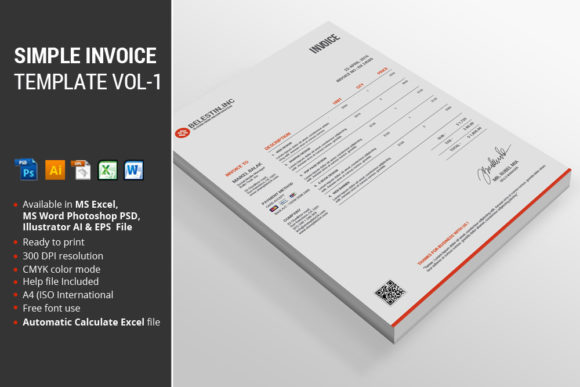
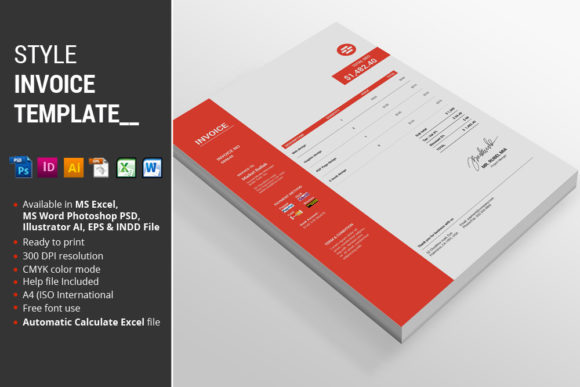
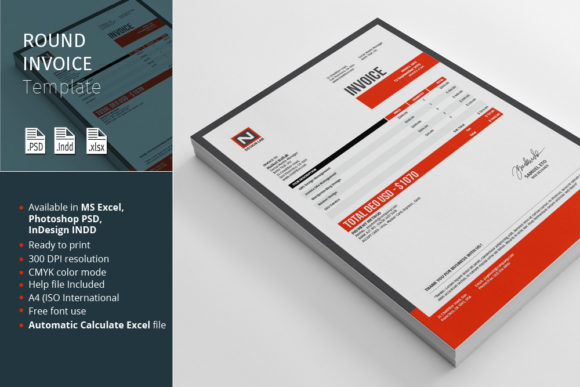
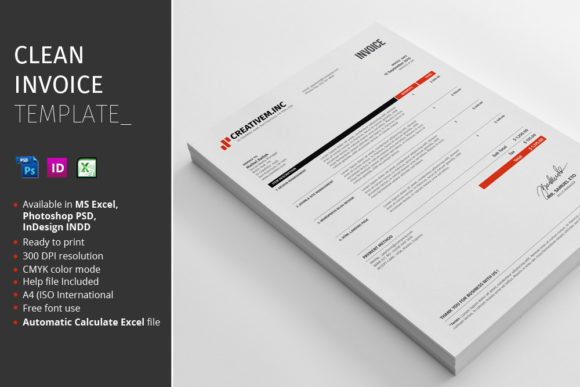
Understanding the tools included is key to leveraging this asset effectively. The package is built for flexibility, catering to different software proficiencies and workflow needs. At its core, you receive 1 MS Excel 2010 file, which is the powerhouse for automatic calculations. This isn't a static document; it’s a smart spreadsheet where totals, taxes, and balances update instantly as you input data, eliminating manual math errors. For designers and those who need full visual control, the 1 Photoshop PSD file and 1 InDesign INDD file are included. These are your creative playgrounds. The PSD file is perfect for quick, pixel-level edits in a familiar environment, while the INDD file offers superior typographic control and layout management for more complex branding integrations. To ensure you’re never lost, a comprehensive Instructions PDF guides you through setup, customization, and best practices for each file type.
Designed for Impact: Features That Matter
The true value of a premium font or template lies in its thoughtful features, and this Clean Invoice Template is packed with them. First, its automatic calculate function in the Excel file is a game-changer for efficiency and accuracy. The visual design is intentionally minimalist, available in a striking Red accent color that draws the eye to key sections without overwhelming the document. It adheres to the A4 (ISO International) standard, ensuring it prints perfectly and is recognized globally. The files are built with a fully organized layer structure in both Photoshop and InDesign, meaning you can easily isolate and edit elements—like your logo, contact information, or payment terms—without disrupting the entire layout. Furthermore, the use of CMYK color mode guarantees that the vibrant red and other colors will reproduce accurately in professional print, a critical detail for maintaining brand consistency from screen to paper. All required typefaces are linked within the help file, so you can achieve the exact look demonstrated in the previews.
Practical Applications and Brand Perception
Where does a tool like this truly shine? Its clean, modern typography and structured layout make it incredibly versatile. For a logo designer or brand strategist, sending a project invoice that mirrors the sophistication of the brand identity you just created is a powerful, final professional statement. It demonstrates that you care about every detail of the client experience. Small business owners and entrepreneurs will find that a well-designed invoice elevates their perceived legitimacy. It moves beyond a simple transactional document to become a subtle piece of brand identity reinforcement. The clear visual hierarchy—achieved through intentional spacing, font weight, and the strategic use of color—guides the client’s eye effortlessly from the header to the line items and finally to the total due. This readability reduces confusion and queries, speeding up payment.
Beyond invoicing, the individual design files offer broader utility. The Photoshop PSD and InDesign INDD templates can serve as a foundation for other editorial design or packaging design projects that require a clean, modular grid system. The disciplined use of a sans serif font paired with a subtle serif font for details creates a balanced, contemporary aesthetic that works for web design mockups, social media graphics for business announcements, or even print materials like order forms or receipts. It’s a creative font system within a professional container, ensuring your communications look intentional and polished across all mediums.
Choosing and Implementing Your Template
When evaluating if this Clean Invoice Template is the right fit, consider your primary workflow. If you live in spreadsheets and value speed and calculation accuracy above all, the Excel file will be your daily driver. If your work demands that every pixel align with a client’s strict brand guidelines, the layered Photoshop and InDesign files are indispensable. Test the font pairing included; does the primary typeface complement your existing logo and marketing materials? The included instructions will help you assess this. Always review the organized layers—this is what makes customization efficient, not frustrating. For commercial use, ensure the license terms outlined in the help file align with your client work, allowing you to use the template for projects you sell or deliver.
Ultimately, this package is more than a collection of files. It’s a system designed to inject professionalism into a routine task. By presenting your clients with a document that is both beautiful and functionally flawless, you communicate competence, attention to detail, and respect for their time. It turns a mundane necessity into a subtle yet effective component of your overall brand strategy, ensuring the final interaction is as polished as the first. In the realm of business tools, a thoughtfully crafted design asset like this proves that even the most practical documents can contribute meaningfully to your professional image and operational ease.